One long video in. A week of posts out.
Clypr turns one long video into a week of clips that look like you made them, then posts them itself. Nothing bounces word by word, nothing zooms every two seconds for fake energy, and nothing reads your captions back to you in a robot voice.
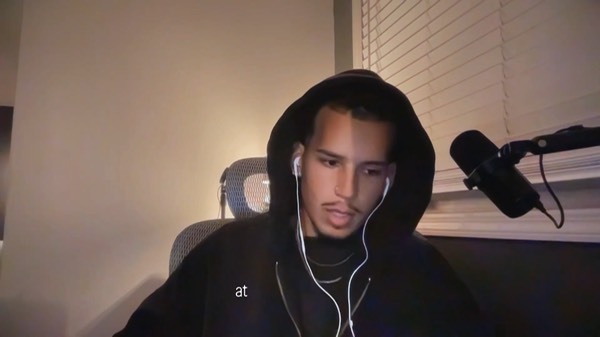
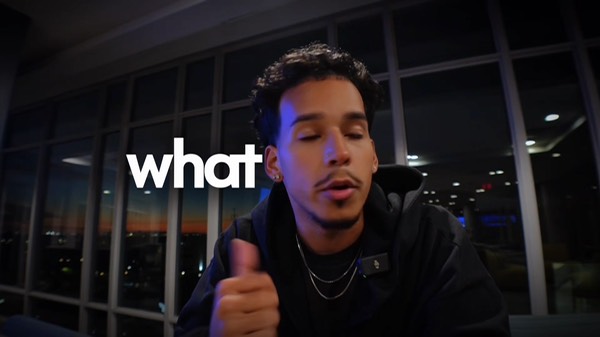
Real output
This is what comes out the other side.
These are real finished clips this product rendered, captions and all, not mockups or concept art. The caption sits behind the speaker. Every default template stamps it over your face instead.

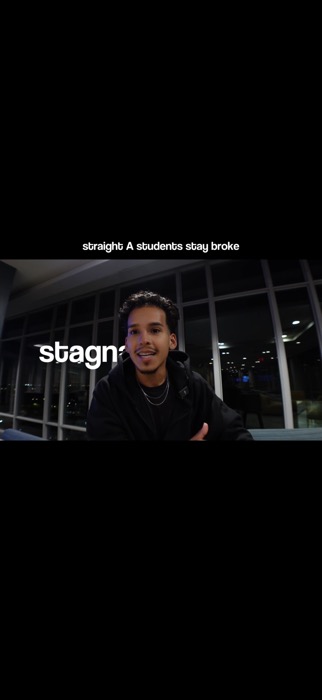
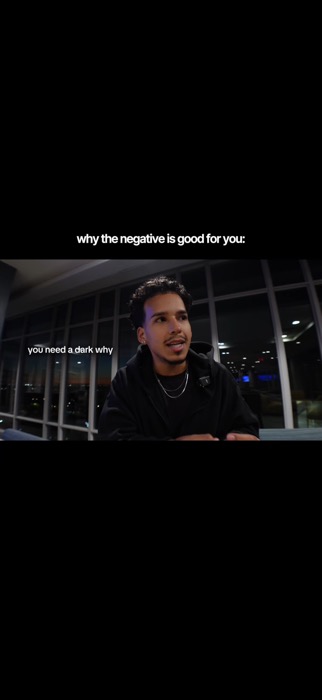
Actual render. Nobody opened an editor for this.
The actual product
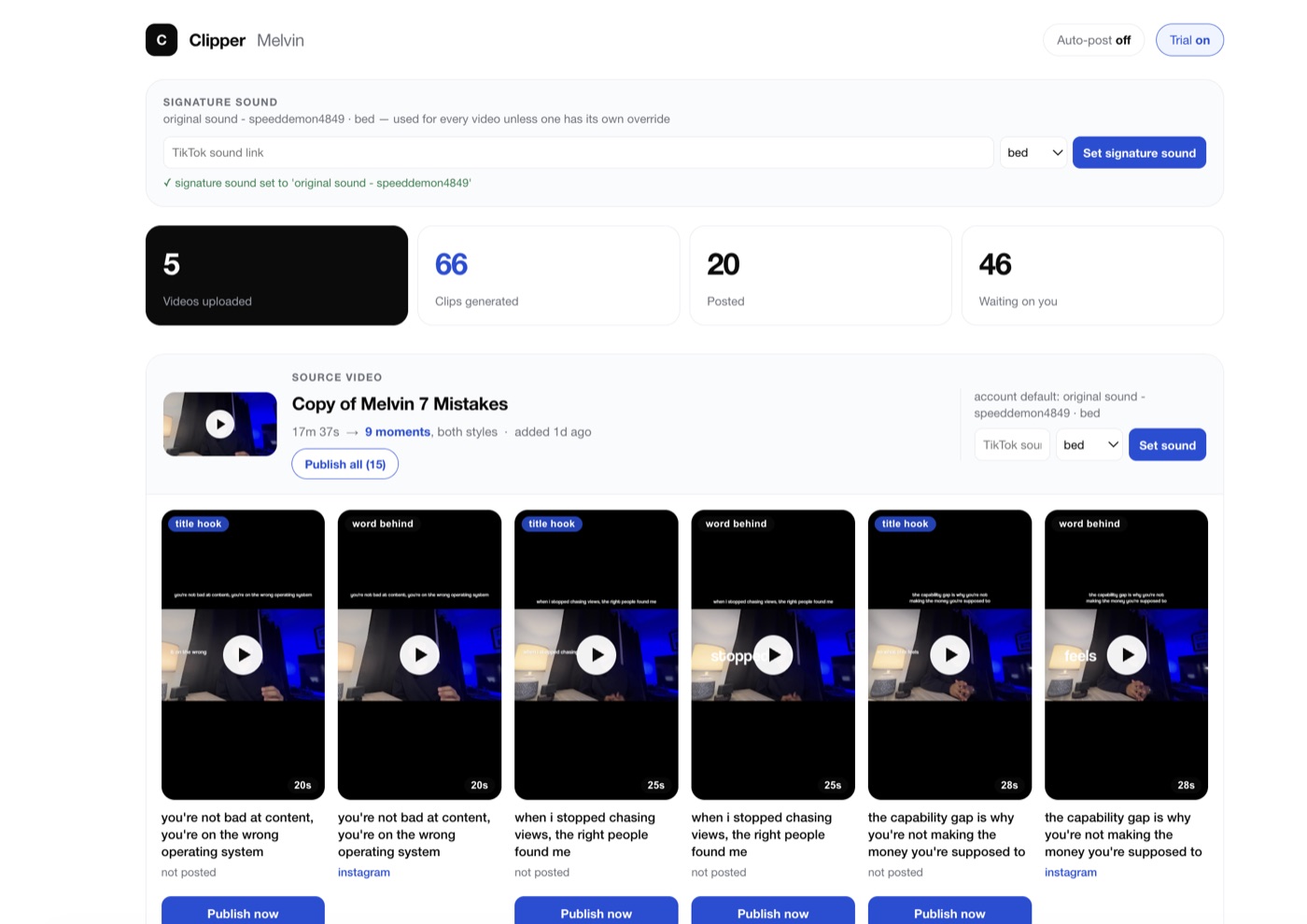
One 17-minute upload. Here's what came back.
This is the real dashboard, not a mockup. One source video, 17 minutes 37 seconds long, came back as dozens of clips in two caption styles, title hook and word behind. Some are already marked posted. The rest are just sitting there waiting on a click.
The actual difference
Every clip tool looks the same. That's the problem.
You already know the look. We built the opposite.
What corny clip tools do
- Word-by-word captions that bounce and fly onto the screen
- The same three fonts every AI clip tool defaults to
- A wall of emoji stapled under every sentence
- A jump-zoom every 1-2 seconds faking energy that isn't there
- A robotic voice reading your own captions back to you
- Captions slapped in a flat box, dead center, over your face
- Every creator's clips looking like the same clip, different face
What Clypr does instead
- Captions render behind you, not stamped over your face
- Your TikTok sound gets baked into the render, not bolted on after
- One locked visual style per niche, so your clips look like yours
- Multiple hook variants tested per clip automatically (Growth+)
- Pixel, audio, zoom, and EXIF variation so nothing reads as a duplicate repost (Engine)
- It posts itself, on schedule, across every account you connect
What it costs you
Three ways to get clips made. Only one posts them too.
How it works
Three steps. You only do the first one.
Upload your long-form video.
We cut, caption, and style it to your niche.
It posts itself, on schedule, across your connected accounts.
Pricing
Three tiers. No haggling.
Clypr Solo
- Connected Accounts2 accounts
- Video Processing Input300 mins (~5 hrs)
- Niche Locks1 Niche (5 Visual Styles)
- Auto-Post Schedule1x per day (toggle on/off)
- TikTok Sound SyncIncluded
- IG Trial Reels Routing—
- Multi-Hook Dynamic Testing—
- Anti-Suppression Hash Engine—
Clypr Pro
- Connected Accounts6 accounts
- Video Processing Input900 mins (~15 hrs)
- Niche Locks3 Niches (15 Visual Styles)
- Auto-Post Schedule1x, 2x, or 3x per day (toggle on/off)
- TikTok Sound SyncIncluded
- IG Trial Reels RoutingIncluded
- Multi-Hook Dynamic TestingIncluded (3 hook variations per clip)
- Anti-Suppression Hash Engine—
ClipArmy
- Connected AccountsUp to 10 accounts
- Video Processing Input2,500 mins (~40+ hrs)
- Niche LocksALL Niches Unlocked
- Auto-Post Schedule1x, 2x, or 3x per day, per account
- TikTok Sound SyncIncluded
- IG Trial Reels RoutingIncluded
- Multi-Hook Dynamic TestingIncluded
- Anti-Suppression Hash EngineIncluded (pixel, audio, micro-zoom & EXIF variations)
Terms · Privacy · Cancellation · Support